

The call sheet, finally usable.
Upload any callsheet and Callsheet Pro turns it into a clean, visual overview in seconds.
The app for film crew.


“One tap to call, one tap to navigation… It’s so simple, but it makes my shoots go smoother.”
— Cloe M., 1st Assistant Director, London
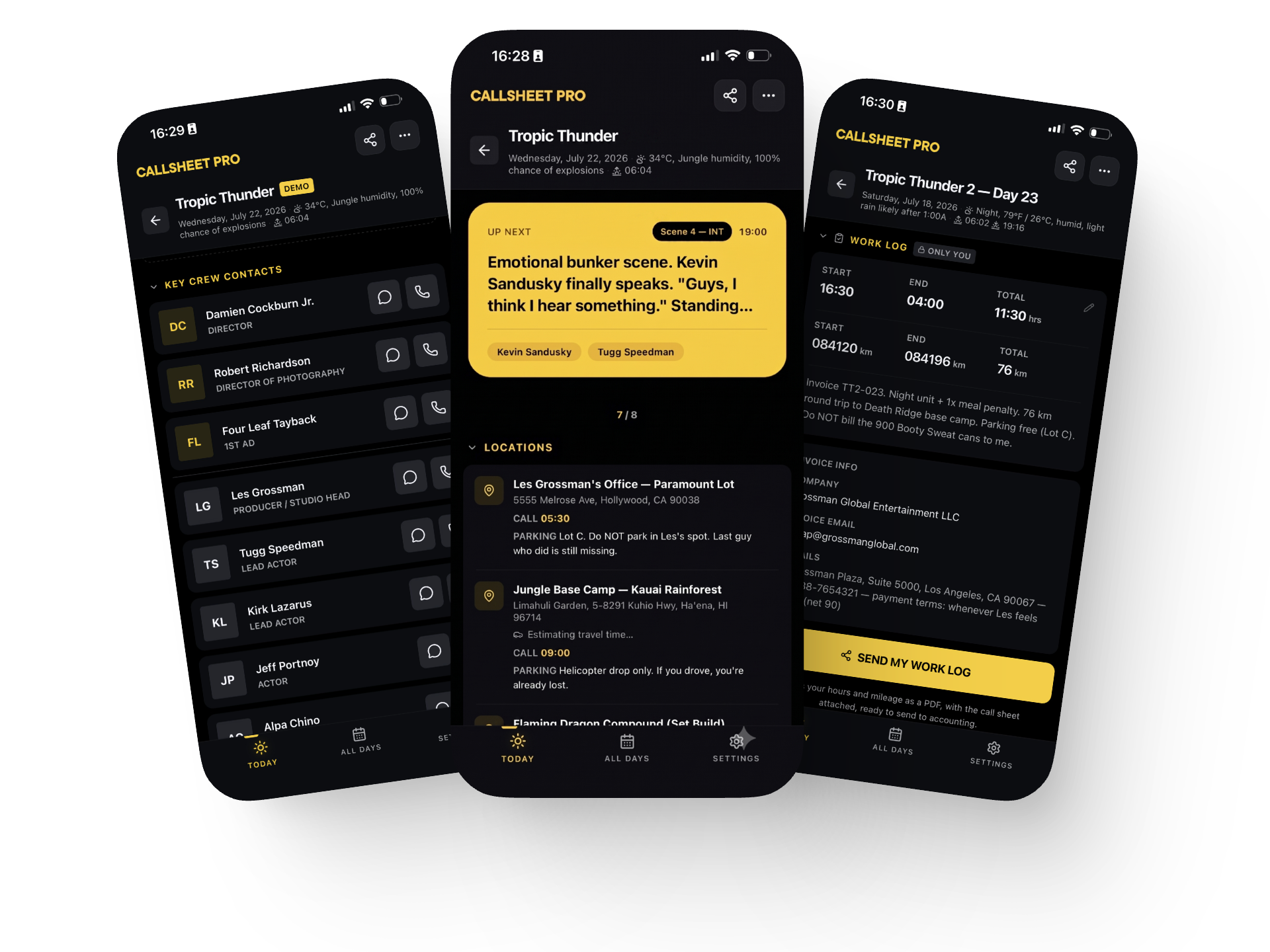


Upload any
call sheet
Drop in a PDF, Word or Excel file, or even a photo of a printed sheet. Callsheet Pro reads it and turns call times, schedule, cast, crew and locations into clean, tappable cards in seconds.
Know what's next
A live timeline marks exactly where the day is. See what's shooting now, when lunch is, and when you wrap, in one glance.


One-tap to go
Tap a location and it opens straight in Google Maps, Maps, Waze, or your app of choice. Tap a crew member to call or message. No copy-paste, no wrong numbers off a tiny PDF.
Share to crew
Send a call sheet to your whole crew with a link or QR code. Change a call time and it pushes to every phone the moment it happens, so everybody is always in the know.


Stealth Shearing
For the shoots that cannot leak, switch on Stealth Mode: every viewer accepts your NDA and is approved by name, screen is watermarked with their name and time, screenshots are blocked and one tap kills access for everyone.
Notes
Add private notes to any call sheet. Lens choices, a great take, that parking tip, whatever you need tomorrow morning. Only you see them.


Straight from your inbox
Forward the call sheet to your private Callsheet address and it lands in the app, already parsed. Stop digging through email on shoot day.
Day Log
At the end of the day you simply export the Day Log. Worked hours, camera settings, your notes… All in one handy document.

Pricing
Start free.
Upgrade when the app becomes part of your workflow.
Free
$0
For working crew. Less than a coffee, saves you one every shoot day.
Everything in Free, plus:
100 uploads per month
Forward call sheets straight from your inbox
Edit any field without re-uploading
Multi-day productions with a default crew roster
Stealth Mode: protected shares with NDA, watermark and kill switch
Live weather at the location
Invoice details pulled out for you
Priority support
Pro
$1.99 / month
$19.99 / year
For working crew. Less than a coffee, saves you one every shoot day.
Everything in Free, plus:
100 uploads per month
Forward call sheets straight from your inbox
Edit any field without re-uploading
Multi-day productions with a default crew roster
Stealth Mode: protected shares with NDA, watermark and kill switch
Live weather at the location
Invoice details pulled out for you
Priority support
Studio
$15.99 per seat /
year
For production companies. Starting at 10 seats. Every seat gets full Pro.
One yearly invoice instead of 20+ personal subscriptions
Named team roster you manage yourself
Add and remove people as productions change
Purchase and manage everything on the web
What people are saying
"Crew actually read the call sheet now."
I used to chase people who never opened the PDF. Now I share one link and everyone sees their call time, their location and the schedule the second they open it. No more "I didn't see it."
— Rachel T., Line Producer, Los Angeles
"Forward the email. That's the whole workflow."
The call sheet lands in my inbox, I forward it, and it's on my phone as a proper app screen. Tap the address and Maps opens. Tap a name and the phone dials. At 6 AM on set, that's everything.
— Kevin M., 1st Assistant Director, London
"It knows my call time, not just the crew call."
Three call sheets a week, all buried in Gmail. Now the app shows MY call, the weather at the location, and logs my hours for invoicing at wrap. It pays for itself on the first job.
— Falk O., Freelance Sound Mixer, Hamburg